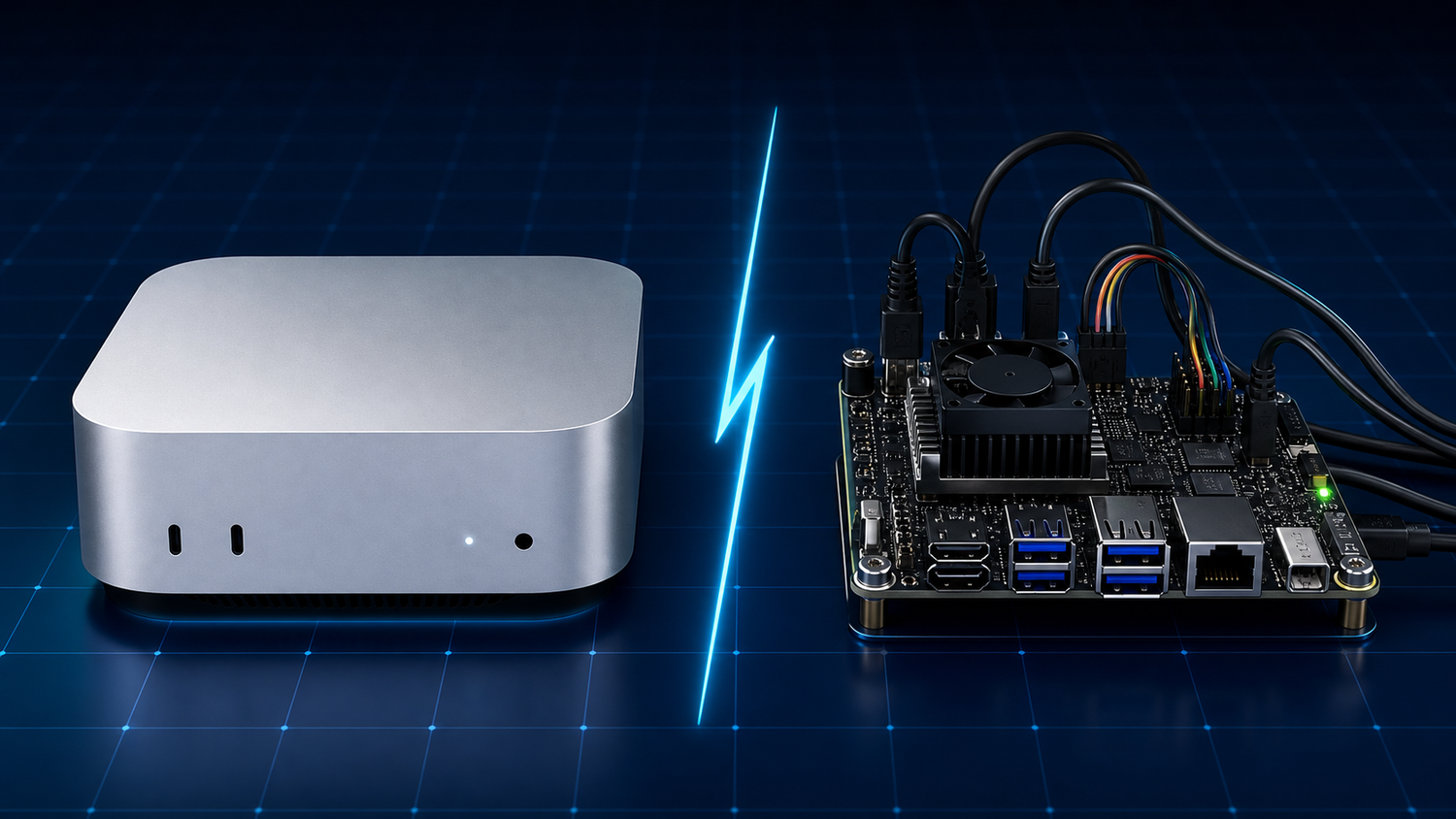
Somewhere on Reddit or a YouTube comment section, someone told you this:
"Just buy a Jetson Orin Nano Super for $249 and install OpenClaw yourself. Same thing, way cheaper."
It sounds reasonable. The NVIDIA Jetson Orin Nano Super is a real piece of hardware with serious AI capabilities. And OpenClaw, the open-source framework that powers ProductiveBot, is free to install.
So should you do it? Let's walk through what that actually looks like.
What Is the NVIDIA Jetson Orin Nano Super?
The NVIDIA Jetson Orin Nano Super Developer Kit is a small computer built for developers and engineers who create AI projects like robots, smart cameras, and edge computing prototypes.
It costs $249. It does not include storage, a case, or any software beyond a basic Linux operating system. You supply everything else.
It's a powerful board. For the right use case, it's a great value. But "right use case" is the key phrase here.
The Hardware Side by Side
Here's how the NVIDIA Jetson Orin Nano Super stacks up against the Apple Mac Mini M4 that ships inside every ProductiveBot:
The Jetson Orin Nano Super wins on GPU compute and power efficiency. If you're running AI models directly on the device, those 67 TOPS of GPU acceleration matter.
The Mac Mini M4 wins on CPU performance, memory, storage, and build quality. Double the RAM. A much faster processor (4.4 GHz vs 1.5 GHz). Built-in storage. A polished, enclosed design that sits on a desk without looking like a science project. And macOS, which brings us to the next point.
Why macOS Matters More Than You'd Think
ProductiveBot runs on macOS, and that's a deliberate choice. Here's why it matters for everyday use:
Browser automation just works. ProductiveBot can open websites, fill out forms, pull data, and interact with web apps on your behalf. macOS handles this natively and reliably. On Linux (what the Jetson Orin Nano Super runs), browser automation requires extra configuration and tends to be less stable.
App ecosystem. Need to connect 1Password for secure credential management? Calendar integration? File management? macOS has mature, well-tested versions of all these tools. Linux alternatives exist, but they require more setup and troubleshooting.
Stability for always-on use. The Mac Mini is designed to run 24/7 as a desktop computer. It handles sleep, wake, updates, and background processes gracefully. The Jetson Orin Nano Super is a development board. It works well, but it's built for prototyping, not for sitting in your office running your business assistant quietly for months on end.
No terminal required. With ProductiveBot, you never need to open Terminal, edit configuration files, or type commands. On a Jetson, you'll be living in the terminal from minute one.
The Real Comparison: What Does Setup Actually Look Like?
Setting up a Jetson Orin Nano Super from scratch
Setting up ProductiveBot
"But the Jetson Orin Nano Super Has a Better GPU"
It does. The Jetson Orin Nano Super's 67 TOPS of GPU compute is impressive, and if you're running AI models directly on the device, it matters.
But here's the thing: most people don't run AI models on their device. ProductiveBot connects to cloud AI providers like Anthropic (Claude) and OpenAI (GPT). The heavy AI processing happens on their servers, not on your hardware.
For that use case, which is how the vast majority of people use AI assistants, CPU performance and memory matter more than GPU TOPS. And the Mac Mini M4 has double the RAM and a significantly faster CPU.
The Jetson's GPU advantage only kicks in if you want to run local AI models. On 8 GB of shared memory, that limits you to small models (up to about 3 billion parameters). The Mac Mini can run larger local models comfortably on its 16 GB of unified memory if you choose to go that route later.
The Full Experience Compared
Hardware specs tell part of the story. Here's how the full experience compares:
Who Should Buy a Jetson Orin Nano Super?
The NVIDIA Jetson Orin Nano Super is a fantastic board. If any of these describe you, it might be the right choice:
- You enjoy building things from scratch and configuring Linux systems
- You want to run computer vision or robotics projects
- You're a developer prototyping edge AI applications
- You specifically want GPU-accelerated local model inference on a budget
- You have the time and skills to maintain your own setup
No judgment. It's a great product for that audience.
Who Should Buy ProductiveBot?
If any of these sound like you, ProductiveBot is built for you:
- You want an AI assistant that works the moment you plug it in
- You run a business and want to get more done in less time
- You don't want to deal with terminals, configuration files, or Linux
- You want access to a growing library of skills that solve real problems
- You want support when you need it, not a Reddit thread and a prayer
- You value your time and would rather spend it on your business, not on setup
The Bottom Line
The NVIDIA Jetson Orin Nano Super is a $249 dev board for people who love tinkering. ProductiveBot is a $1,499 AI assistant for people who love getting things done.
Both are valid. They're just built for very different people.
If you want to build your own setup from scratch, the Jetson Orin Nano Super is a solid starting point. If you want to open a box, follow a 5-minute setup, and start delegating tasks to your AI assistant today, that's what ProductiveBot is for.
See what's included with every ProductiveBot →
Have questions about setup, hardware, or what ProductiveBot can do? Ask Scout, our AI support agent, anytime.
Already have a ProductiveBot? Browse skills that add new capabilities: Visit the Skill Store →
Common Questions
Can I use Claude on a Jetson Orin Nano Super?
Yes, you can connect to Claude's API from a Jetson running OpenClaw. But you'll need to install and configure everything yourself. ProductiveBot comes with Claude support pre-configured and ready to go.
Is ProductiveBot just OpenClaw on a Mac Mini?
ProductiveBot is built on OpenClaw, the open-source AI agent framework. But we added significant value on top: TotalRecall persistent memory, SecuritySuite (with PromptGuard and SkillGuard), the Setup Wizard, ProductiveBot Doctor diagnostics, the Skill Store, Scout support, and a fully tested, pre-configured system. It's the difference between Linux and a MacBook.
What if I'm technical and still want ProductiveBot?
Many of our customers are technical. They choose ProductiveBot because they'd rather spend their time building skills and workflows than configuring infrastructure. You still have full access to everything under the hood if you want it.
Can I run local AI models on ProductiveBot?
Yes. The Mac Mini M4 with 16 GB of unified memory can run local models. You can also use cloud providers like Anthropic and OpenAI, or a combination of both. You're not locked into any single AI provider.
Does ProductiveBot require a subscription?
No. The device and all pre-installed software work without any subscription. ProductiveBot+ membership is included free with every purchase and adds premium support, Skill Store access, and community resources. The only ongoing costs are the third-party AI provider fees (like Anthropic or OpenAI API usage), which you pay directly to those providers.

Leave a comment
This site is protected by hCaptcha and the hCaptcha Privacy Policy and Terms of Service apply.