Accessories/Magic Keyboard with Touch ID and Numeric Keypad

Compatible with your ProductiveBot workstation
Apple desk accessory
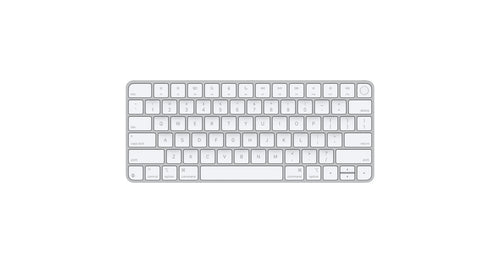
Magic Keyboard with Touch ID and Numeric Keypad
An extended wireless Mac keyboard with Touch ID, a numeric keypad, and document navigation keys.
$179
Optional addition · not included with your workstation
Numbers, navigation, and fingerprint approvals
If your workstation day involves spreadsheets, invoices, or reviewing figures your agent produced, the numeric keypad speeds up entry. Document navigation keys help you move through long files and logs. Touch ID clears unlock and password prompts with a fingerprint instead of typing.
If your workstation day involves spreadsheets, invoices, or reviewing figures your agent produced, the numeric keypad speeds up entry. Document navigation keys help you move through long files and logs. Touch ID clears unlock and password prompts with a fingerprint instead of typing.
Bluetooth + woven USB-C cable
Wireless at your desk; pair and charge with the included cable.
Wireless at your desk; pair and charge with the included cable.
About a month between charges
Rechargeable internal battery, per Apple.
Rechargeable internal battery, per Apple.
In the box: Magic Keyboard with Touch ID and Numeric Keypad, USB-C Charging Cable
Make the call
Which keyboard?
Both have Touch ID. It comes down to the number pad and the desk space it needs.
 Magic Keyboard with Touch ID and Numeric KeypadYou’re viewing
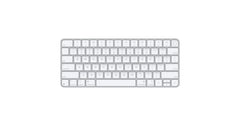 Magic Keyboard with Touch ID
Touch ID
Yes
Yes
Numeric keypad
Yes
—
Document navigation keys
Yes
—
Width
16.48 in
10.98 in
Weight
0.81 lb
0.54 lb
Verified fit
Made for the machine you own.
Works with your workstation
Requires Mac with Apple silicon using macOS 15.1 or later. Your ProductiveBot workstation qualifies.
Wireless, with the cable included
Bluetooth for daily use; woven USB-C charge cable in the box.
Long between charges
Apple states about a month or more between charges.
Specifications
Everything useful. Nothing extra.
Works withAll three ProductiveBot workstations
RequiresMac with Apple silicon using macOS 15.1 or later
ConnectionBluetooth, wireless; USB-C port
ChargingIncludes a woven USB-C Charge Cable that lets you pair and charge by connecting to a USB-C port on your Mac
Battery lifeRechargeable battery lasts about a month or more between charges
CompatibilityListed Mac models include Mac mini (2024), Mac mini (2023), Mac mini (M1, 2020), Mac Studio, iMac (24-inch), MacBook Air and MacBook Pro with Apple silicon
LayoutUS English, white keys; extended layout with numeric keypad, document navigation controls, and full-size arrow keys
KeysTouch ID sensor; multimedia keys
DimensionsHeight 0.16-0.43 inch (0.41-1.09 cm); width 16.48 inches (41.87 cm); depth 4.52 inches (11.49 cm)
Weight0.81 pound (0.369 kg); weight varies by configuration and manufacturing process
In the boxMagic Keyboard with Touch ID and Numeric Keypad, USB-C Charging Cable
Keep building